Showing posts with label Feedback. Show all posts

Knowt - An app that uses machine learning to automatically turn your notes into review quizzes.


Web Address
: https://getknowt.com/

In their own words: "Our algorithm makes sure learning will never be the same again. First, we take your notes and analyze them using machine learning. On our server, the A.I. determines the best question formats for each sentence. Once it knows the best questions, the algorithm sends it to the web or mobile app for you to take a quiz!"

Microsoft Forms - Easily create surveys, quizzes and polls.

Web Address: https://forms.office.com/

About: This is Microsoft's take on Google forms.  Both services do the same thing, letting you create online surveys, quizzes and polls.  which one you use is entirely down to your own personal preference.

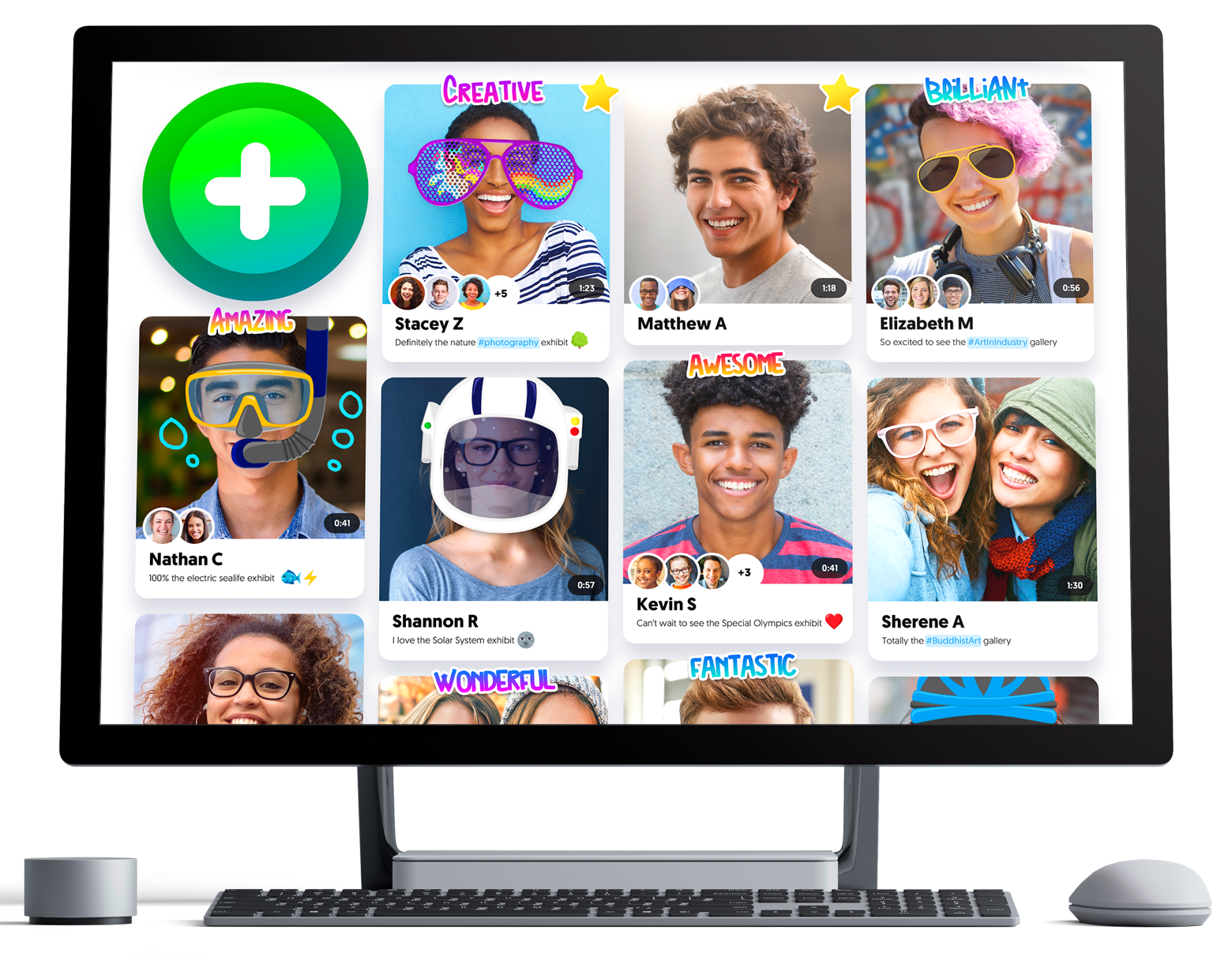
Flipgrid - Video for Student Engagement & Formative Assessment

Web Address: https://info.flipgrid.com/

About: Flipgrid is a website that allows educators to create "grids" to enable video discussions. Each grid is like a message board where teachers can pose questions, and their learners can post video responses that appear in a tiled grid display.

@CoRubrics - An Add-on to Facilitate Assessment Among Students

Web Address: https://corubrics-en.tecnocentres.org/

In their own words: "CoRubrics, an add-on for Google Sheets helps teachers in the assessment process. It is used to assess students (or groups of students) with a rubric designed by the teacher and also allows students to assess other students (coevaluation).
CoRubrics automates the entire process. First, teachers design the rubric they want to use in Google Sheets, then they add the students' names and their email address. (These can be imported from Google Classroom). Once this is done, the add-on will:
  • Create a Google Form with the contents of the rubric.
  • Send the form to the students by email or simply provide the link to the teacher.
  • Process the data once the form is filled out (by the students or by the teacher).
  • Finally, send the results to the students (each student receives only their results) with a personalized comment.
  • Insert comments when answered.
  • Allow Co-evaluation, self-assessment and teacher assessment with one link.

In addition, CoRubrics allows:
  • Insert comments when answered.
  • Allow Co-evaluation, self-assessment and teacher assessment with one link.

Kaizena - Quickly give every student the feedback they need to improve, for free.

Web Address: https://kaizena.com/

About: A free tool that makes it really easy for teachers to give their learners high quality, meaningful feedback.

Techie Teacher © 2014. All Rights Reserved | Powered By Blogger | Blogger Templates

Designed by-SpeckyThemes