In their own words: "256 second audio or video soundbytes that you can share anywhere, discover easily, interact with and listen to back-to-back. Free."
Showing posts with label iPad. Show all posts
Synth - Podcasting in byte-sized increments.
In their own words: "256 second audio or video soundbytes that you can share anywhere, discover easily, interact with and listen to back-to-back. Free."
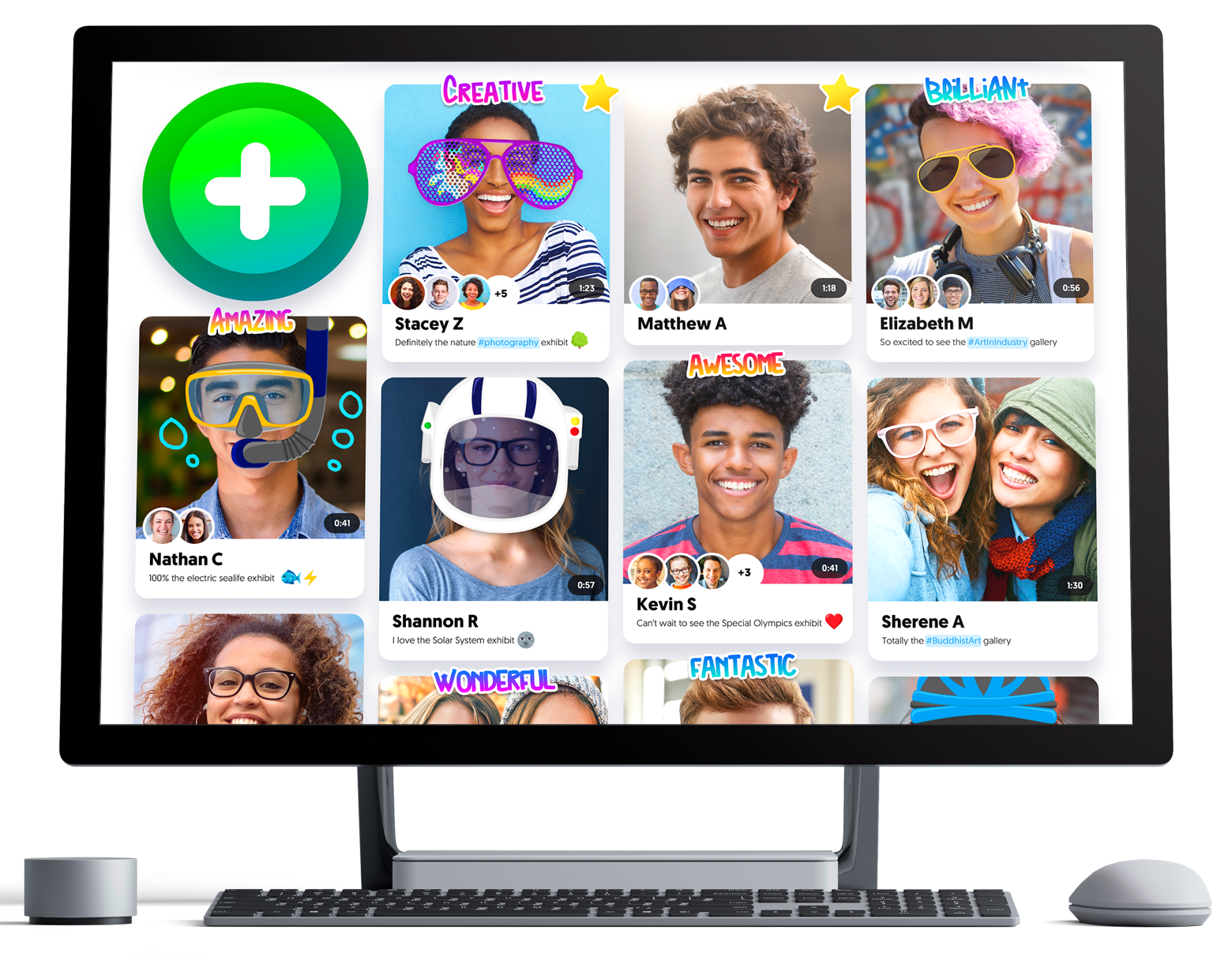
Flipgrid - Video for Student Engagement & Formative Assessment
About: Flipgrid is a website that allows educators to create "grids" to enable video discussions. Each grid is like a message board where teachers can pose questions, and their learners can post video responses that appear in a tiled grid display.
Connected Mind - A nice Mind mapping app for Google Chrome, iOS and Android.
In their own words: "Draw unique and memorable mind maps, store them in the cloud for free and access them anywhere
At last it is possible to create a mind map as individual and easy to imprint on your mind as one drawn by hand on paper. The mind maps you create with Connected Mind are even better as you can easily include images and shapes and you have a whole rainbow of colors and a selection of fonts at your disposal.
There is no limit to the number of maps you can create and you can store them in the free cloud storage provided. There is no need to create an account. Simply sign in with your Google or GMail credentials and your maps can be stored in the cloud on a google database.
Once stored in the cloud, you can access your mind maps from any computer that has Google Chrome installed.
You can also take you mind maps with you wherever you go with the Connected Mind Android app available from the Android Play (http://goo.gl/7oBhK) and the iPad app available from the App Store (https://itunes.apple.com/us/app/connected-mind/id659803223). You can open and edit any of your maps created in Chrome on Android or iOS, and vice versa.
Features
✓ Complete control over map layout
✓ Unlimited undo/redo
✓ Shortcut keys for common operations
✓ Speech recognition - speak the text of your branches
✓ Free cloud storage for every user (no need to create an account)
✓ Choice of over 60 fonts that don't need to be installed
✓ Add rich format notes, including images and links, to any map item
✓ Notes displayed as you move your mouse over items
✓ Choice of 27 shapes, with beautiful color gradient fills
✓ Images added to your maps can be sized and clipped to any supported shape
✓ Autosaves after every change
✓ Have multiple maps open, with thumbnail images of each for selection
✓ Copy & paste between maps
✓ Import maps created in Freemind"
Otter - Simple Websites for Teachers.
In their own words: "Otter makes it easy to keep parents and students in the loop. Free."
[iPad App] 5 Dice: Order of Operations Game
About: 5 Dice is a iPad app that provides learners with a place to practice and develop their understanding of BODMAS (the order of operations).
QR Voice - Create QR codes for learners to scan which then play an audio message
About: A free tool that allows you to create QR codes that when scanned will play a short audio message.
To create your message and QR code you can record a voice message by clicking the microphone icon or by typing in a text message which is then converted into a spoken one.
Google Keep - A free note taking app that's better than Evernote
About: Another one of Google's excellent free services, this is very handy for educators and learners as it allows everyone to make all sorts of different types of notes and keep them all synchronized across a wide variety of internet enabled devices.
Box Island - A free iPad app that teaches pupils the basics of coding
About:
"Box Island is a mobile game that takes boys and girls on an exciting adventure, while teaching the fundamentals of coding. Kids apply the basics, such as loops and conditionals, to progress through the super fun and challenging gameplay. Rendered in a beautiful 3D game world featuring 100 levels, Box Island is a story-driven journey that keeps kids highly engaged and motivated while playing."
HopScotch - A free iPad app that teaches pupils to code
About: This award-winning app lets you make your own games and publish them instantly for anyone to play. Pupils can easy-to-follow videos to make games like Angry Birds, create pixel art, or build something brand new.
Subscribe to:
Posts (Atom)


Follow Me